How do I turn a 2D plan into 3D?
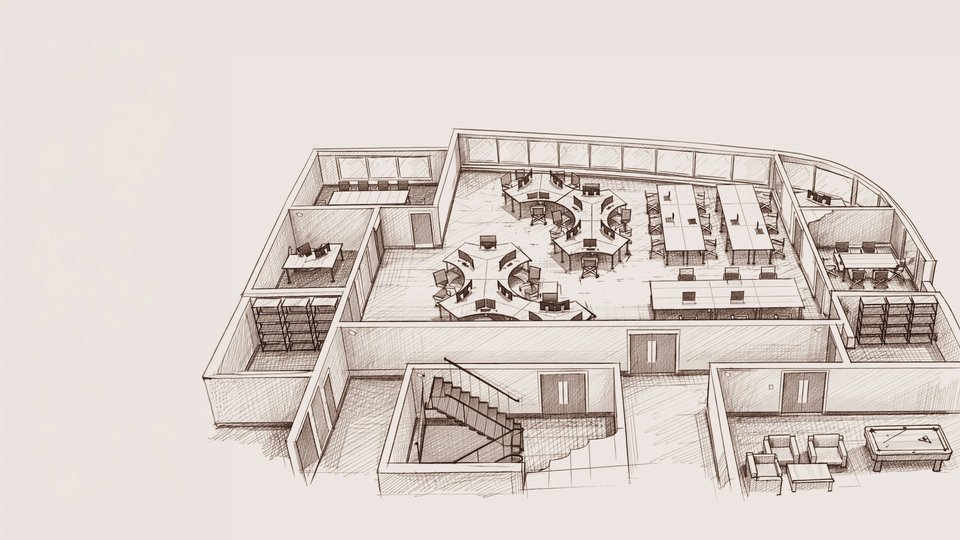
A 2D plan is turned into 3D by tracing its walls in 3D software and raising them to the real ceiling height, then adding doors, windows, floors and furniture. You can do it yourself in a free tool, or a designer can build it accurately and add realistic light and materials.
Step by step
- Get a clean plan with dimensions. A PDF or image from the architect or developer is ideal. A hand sketch works if every wall is measured.
- Set the scale. Import the plan into the software and match one known length, like a 3 m wall, so everything else is correct.
- Trace the walls and raise them to the ceiling height.
- Add openings: doors and windows, with their real width, height and sill height.
- Add floors, ceilings and fixed elements: beams, columns, stairs, radiators.
- Furnish: place furniture at real size.
- Apply materials and light if you want realistic images.
Tools you can use
- Free, simple: Sweet Home 3D, Floorplanner, Homestyler or Planner 5D. Good for layouts.
- Free, powerful: Blender. Very capable, but slow to learn.
- Professional: SketchUp, 3ds Max, with render engines like V-Ray, Cycles or Lumion for realistic images.
Common problems
- Missing heights: a 2D plan shows lengths, not ceiling or window heights. Measure them.
- Plans that don't match reality: built walls can differ from the plan by several centimetres. Check key dimensions on site.
- Scale errors: a plan that's slightly off scale makes every piece of furniture wrong.
What a designer adds
Turning a plan into walls is the easy part. The value is in what goes inside: a layout that works, furniture at the right size, materials and lighting that look real, and images that let you decide.
We work from your plan, PDF or sketch, and photos and measurements. We build the 3D model and deliver a floor plan, a moodboard and 3D renders.
Let's talk about your project.
Send your plans for a quote, or book a free 15-minute call.